
See where your Jira configuration is used before you change it
Admin Pro for Jira gives Jira Cloud admins one searchable view of 19 configuration types: fields, screens, workflows, statuses and 9 scheme types.
- Free for up to 10 users
- Read-only
- Runs on Atlassian
- Jira Cloud only
Jira spreads configuration across dozens of admin pages
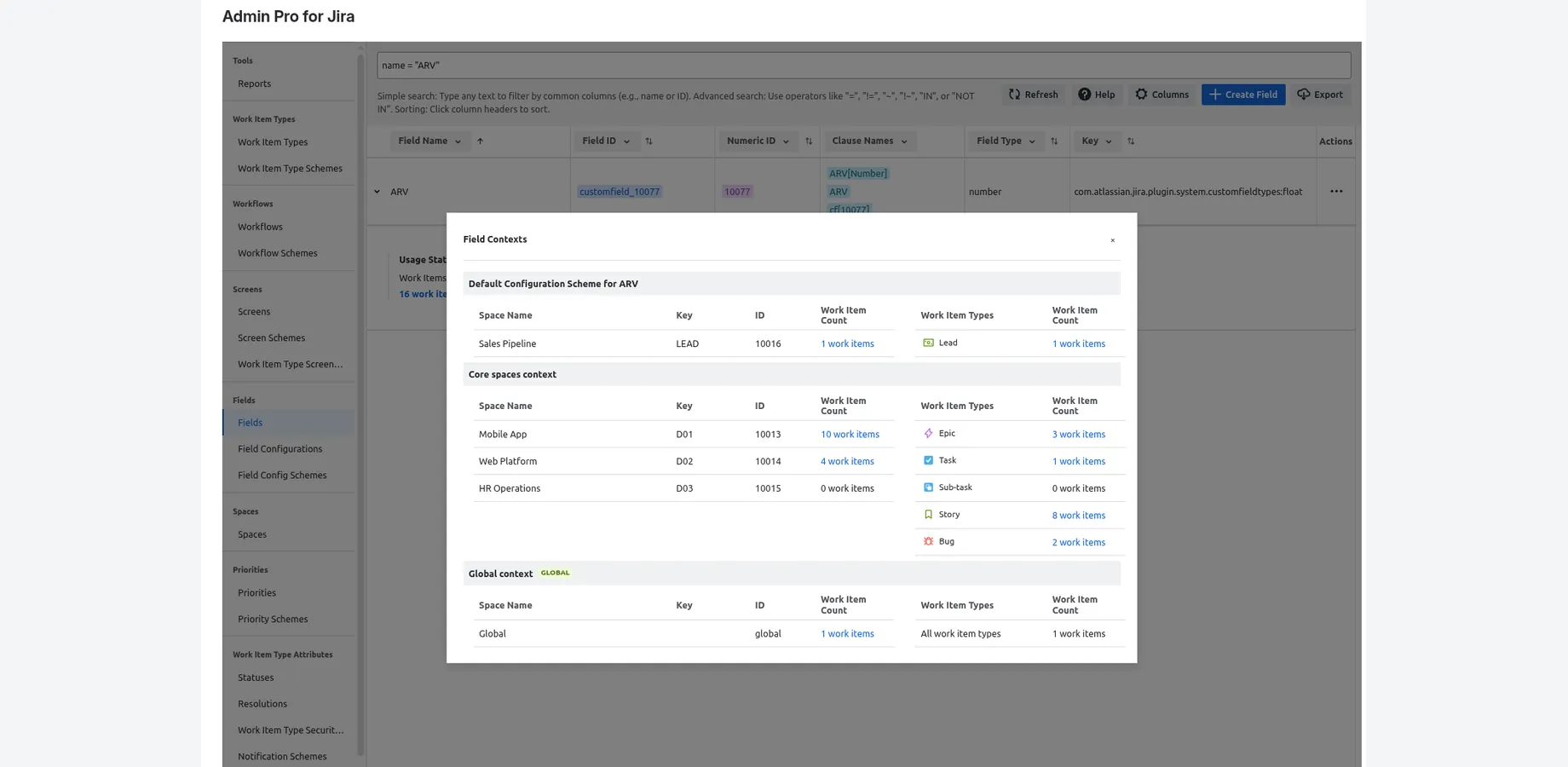
Before you edit a shared screen, a custom field or a scheme, you need to know what depends on it. In Jira Cloud that usually means opening admin page after admin page, or writing REST API scripts. Admin Pro puts the answers in searchable tables.
See where it's used
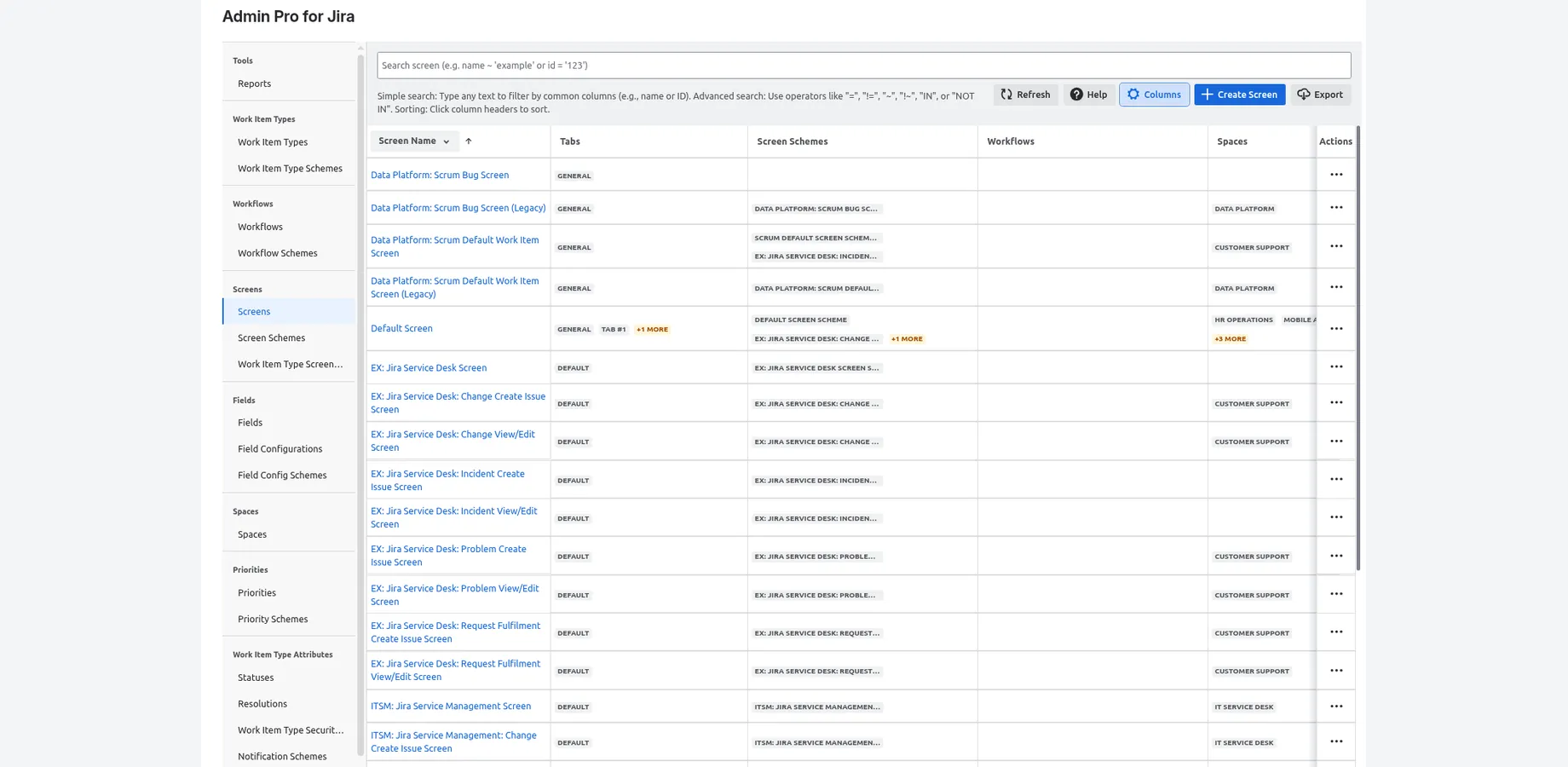
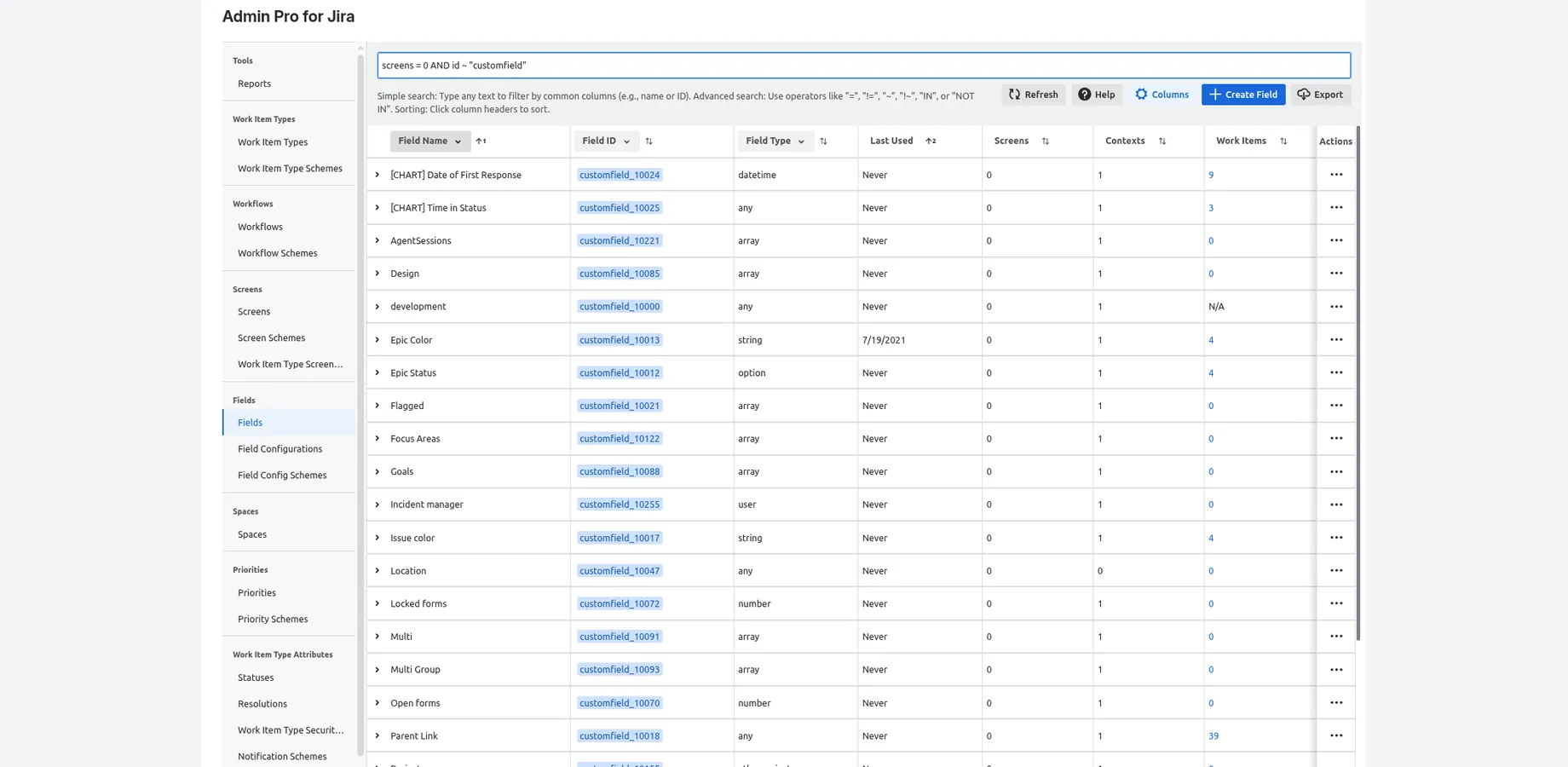
Every scheme shows the projects that use it. Each screen lists its tabs, screen schemes, work item type screen schemes, workflow transitions and projects. Each custom field shows its screens, contexts, projects and work item types, with an approximate work item count.
Find unused and inconsistent configuration
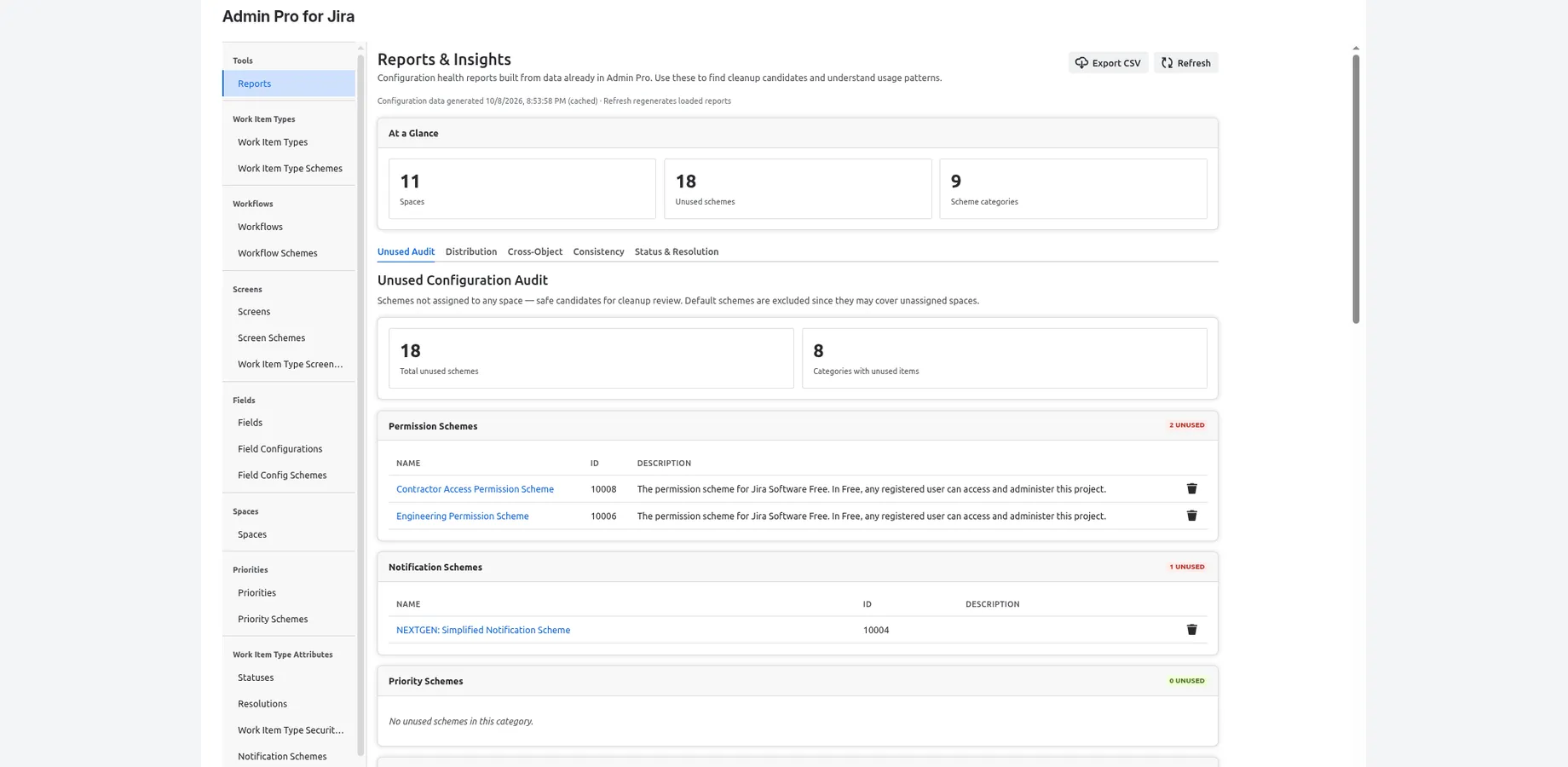
Reports & Insights includes an Unused Configuration Audit across 9 scheme types, orphaned screens, unreferenced workflows, transition-only screens, the most-referenced screens and workflows, scheme fragmentation, and statuses and resolutions with zero or low usage. Export any report to CSV.
Search any configuration type
Type to filter, or query with JQL-like operators (=, !=, ~, !~, >, <, IN, NOT IN) combined with AND and OR. Filter, sort and show or hide columns.
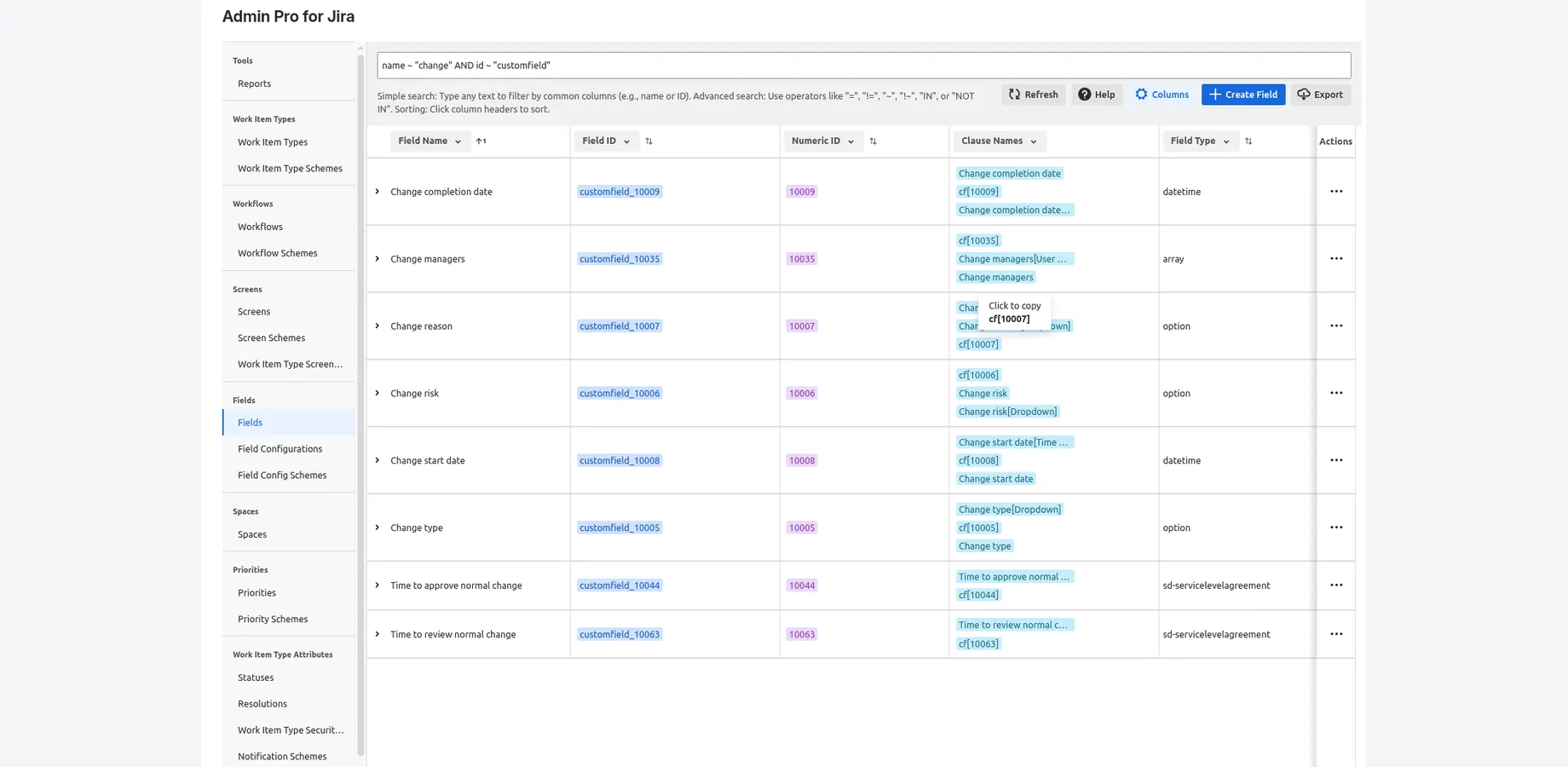
Copy IDs and clause names
Click to copy field IDs, numeric IDs and JQL clause names. People who can edit a work item can also look up its field IDs from the work item view.
Export to Excel or CSV
Export any table to Excel (.xlsx) or CSV for audits, cleanup sheets and documentation.
19 configuration types
- Fields
- Screens
- Work item types
- Projects
- Workflows
- Statuses
- Resolutions
- Priorities
- Issue link types
- Field configurations
- Permission schemes
- Notification schemes
- Priority schemes
- Issue security schemes
- Workflow schemes
- Screen schemes
- Work item type screen schemes
- Work item type schemes
- Field configuration schemes
Security and data
Admin Pro runs on Atlassian's Forge platform and carries the Runs on Atlassian badge: no external servers, and no data leaves Atlassian. It is read-only. It never changes your configuration; its Edit and Delete links open Jira's own admin pages. Jira requires admin-level scopes to read screens, schemes and workflows, so the app requests them, but it makes no write calls.
What Admin Pro doesn't do
We'd rather you know the limits up front.
- It doesn't check workflow conditions, validators or post functions, saved filters, dashboards, boards, automation rules or other apps for references to a field. Check those separately before you delete anything.
- It doesn't read field schemes yet, Atlassian's replacement for field configurations that is rolling out to Jira Cloud sites.
- Work item counts are approximate. They come from Jira's approximate-count search.
- Screen lookups cover custom fields. System fields show as unsupported.
- It doesn't decide what's safe to delete. It shows what references a configuration item so you can decide.
- There's no Data Center or Server version. It's for Jira Cloud only.
Who it's for
- Jira Cloud admins cleaning up after migrations, project deletions or years of growth
- Consultants auditing a client's Jira Cloud site
- Anyone about to change a shared screen, field or scheme
Pricing
Free for up to 10 users. For larger sites, see current pricing on the Atlassian Marketplace. Billing is handled by Atlassian.
Questions
Does Admin Pro change my configuration?
No. It only reads. Its Edit and Delete links open Jira's own admin pages, where Jira's normal permissions and confirmations apply.
Does it check workflow rules, filters, dashboards or automation?
No. It covers screens, contexts, projects, schemes and work item counts. Check those other places separately.
Is there a Data Center version?
No. Admin Pro is for Jira Cloud only.